 Join Slack
Accounts
The accounts section is for the management of user accounts, access permissions, and tenants.
Users
Description of User account fields:
Username - Unique username.
Full Name - Full Name of the user.
E-mail - The email address of the user. Also used for system notifications and for password retrieval.
E-mail CC - Send copies of email notifications to this address.
Phone Number - User’s phone number.
Company - Company the user works for. Usually useful for multi-tenant systems where the company provides Netris Controller access to customers.
Position - Position within the company.
User Role - When using a User Role object to define RBAC (role-based access control), the Permission Group and Tenant fields will be deactivated.
Permission Group - User permissions for viewing and editing parts of the Netris Controller. (if User Role is not used)
+Tenant - User permissions for viewing and editing services using Switch Port and IP resources assigned to various Tenants. (if User Role is not used)
Example: Creating a user with full access to all sections of Netris Controller, read-only access to resources managed by any Tenant, and full access to resources assigned to the Tenant Admin.
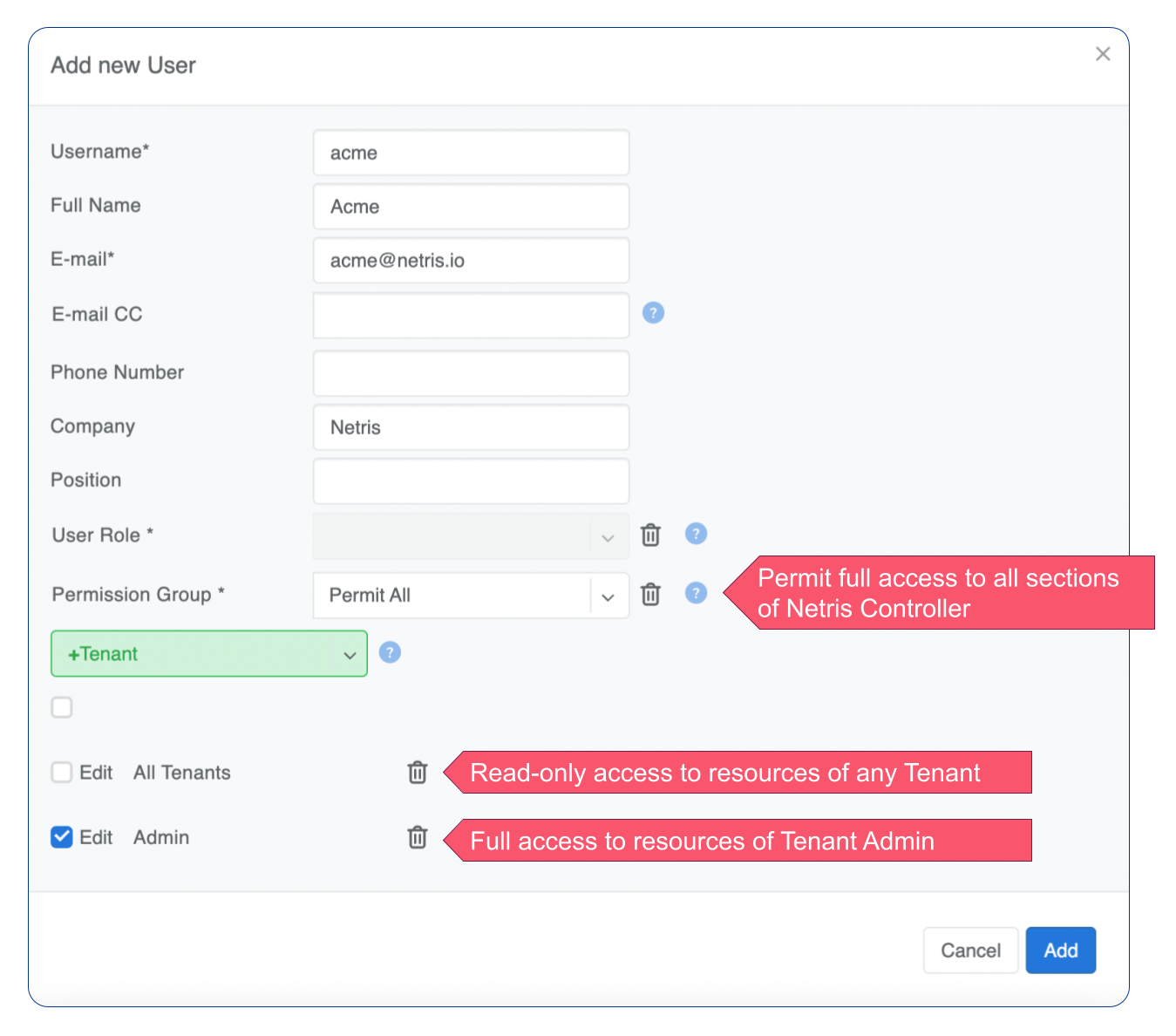
Figure: User Management
Password: To set a password or email the user a password form, go to the username list and click the menu on the right.
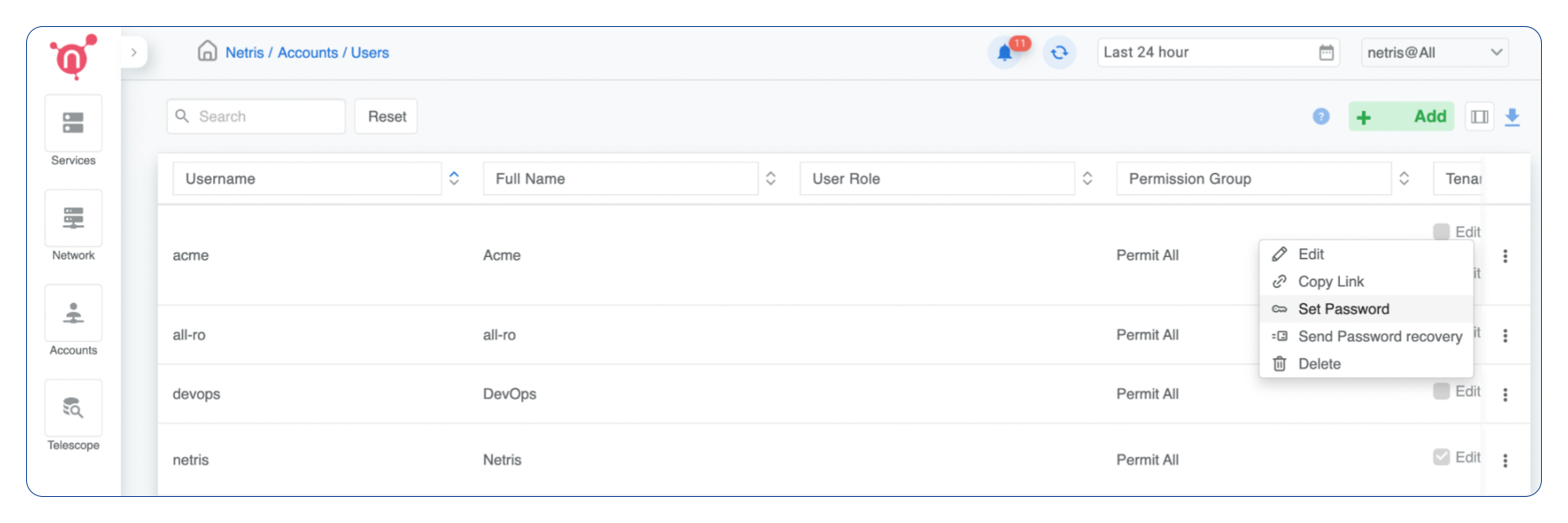
Figure: List User Accounts
Tenants
Tenants are named principals used to delegate management of network resources. The built-in Admin tenant owns all resources by default. Additional tenants grant other teams self-service access to provision and manage network services via the Netris Controller GUI, Kubernetes CRDs, or Terraform.
A Tenant object has only two fields: a unique name and an optional description. It carries no quota, billing identity, or login.
For a glossary of related concepts — including Admin Tenant and Guest Tenant — see Definitions.
Admin Tenant vs Guest Tenant
VPCs and V-Nets in Netris support two tenant roles:
The Admin Tenant owns the object and can manage all of its parameters.
Guest Tenants are tenants granted delegated access to add and remove resources inside the object, but cannot change the object’s parameters.
For a VPC, the Admin Tenant manages all VPC-level parameters. Guest Tenants of a VPC can add and remove services inside it — V-Nets, L4 Load Balancers, Server Clusters, IPAM subnets — but cannot change the VPC’s own parameters.
For a V-Net, the Admin Tenant manages all V-Net parameters. Guest Tenants of a V-Net can add and remove switch ports to the V-Net, but cannot change the V-Net’s own parameters.
Example: Adding a tenant.
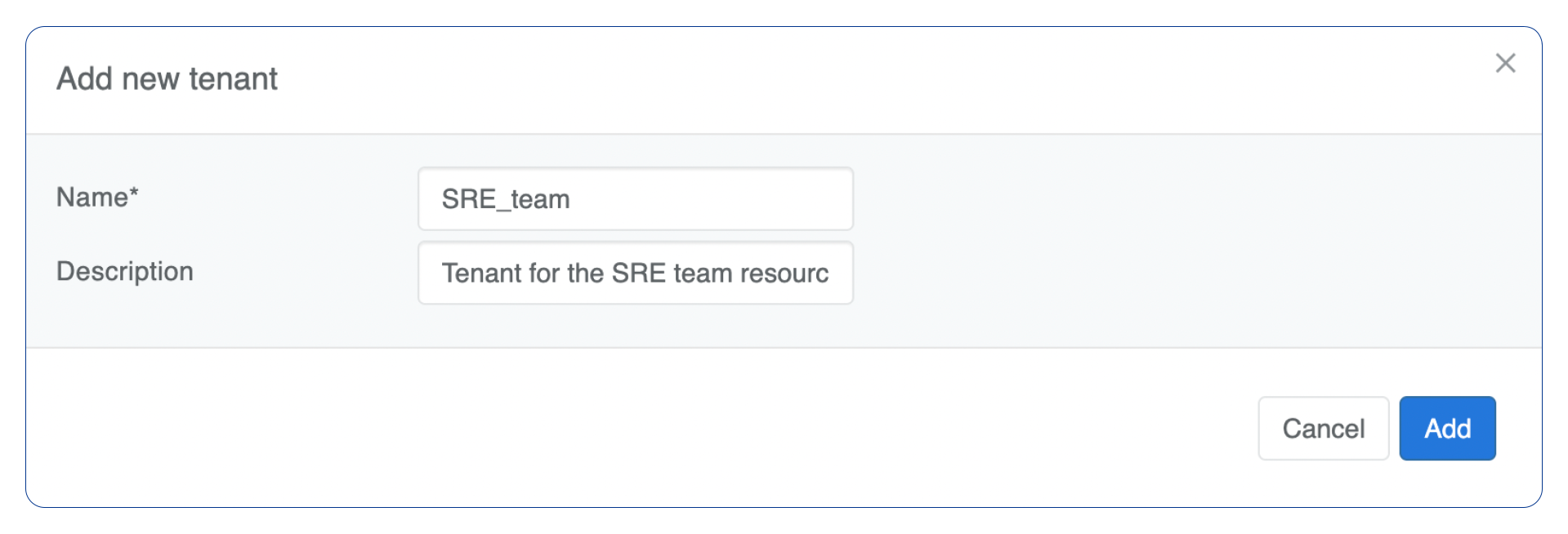
Figure: Adding Tenants
Permission Groups
Permission Groups are a list of permissions per section that can be attached individually to a User or a User Role. Each section has View and Edit attributes. View defines whether users with this Permission Group can see the section at all. Edit defines if users with this Permission Group can edit services and policies in specific sections.
Example: Permission Group.
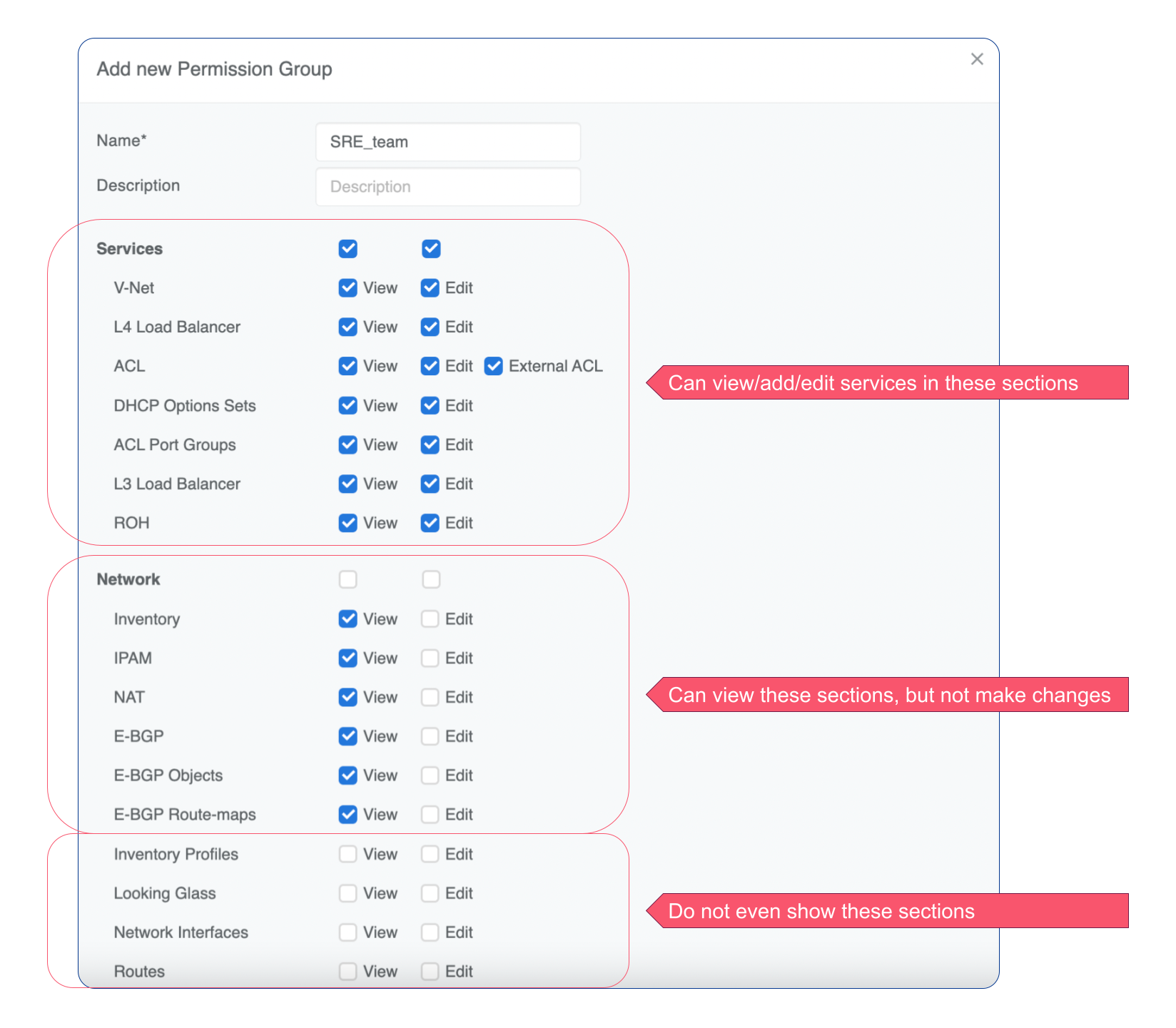
Figure: Managing Permissions
User Roles
Permission Groups and Tenants can be linked either directly to an individual username or to a User Role object, which can then be linked to an individual username.
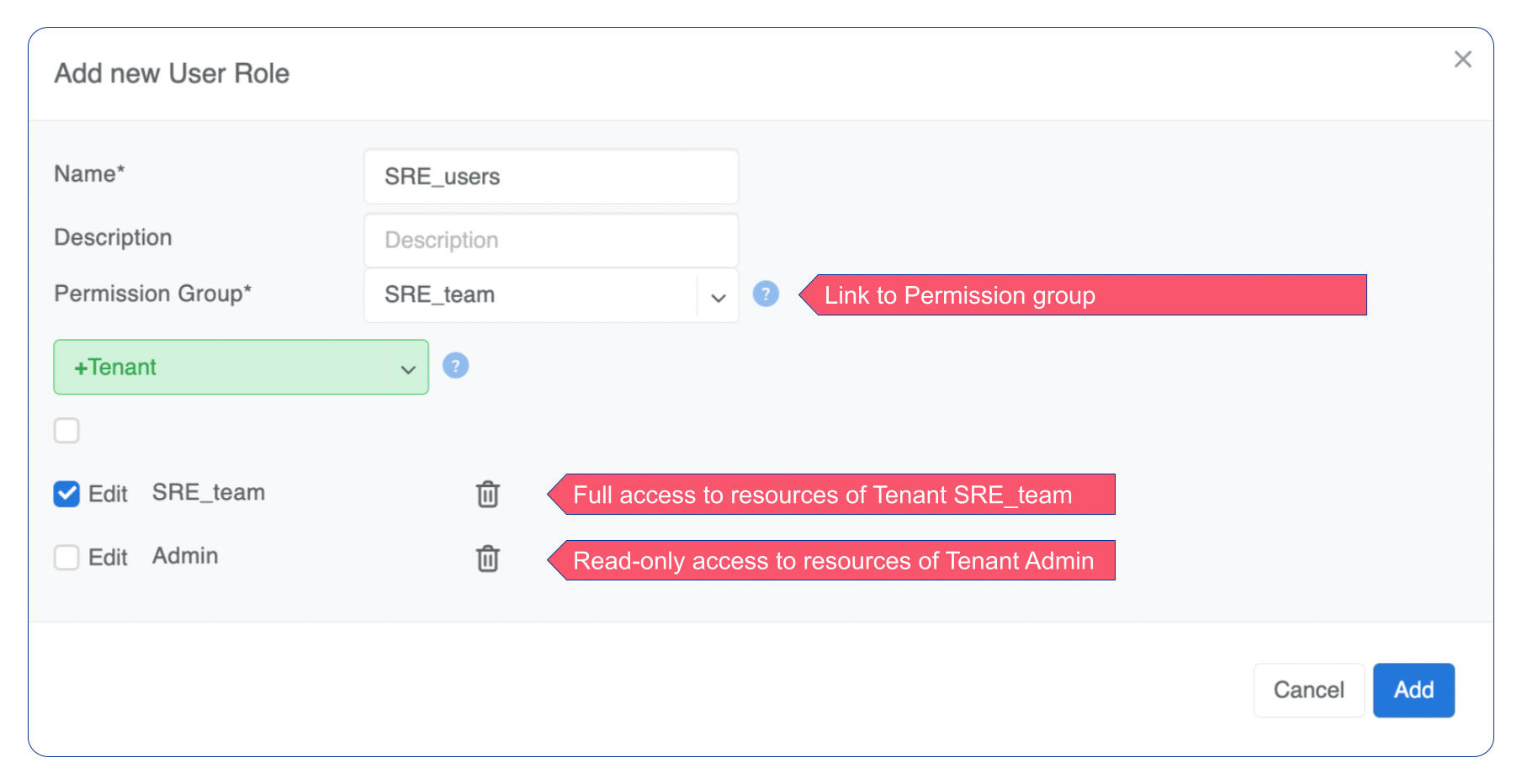
Figure: User Roles